4. Events
Animations often need to trigger something: a sound, a particle burst, the next scene. Timelines can call you back at specific times, when they loop, and when they finish.
Markers
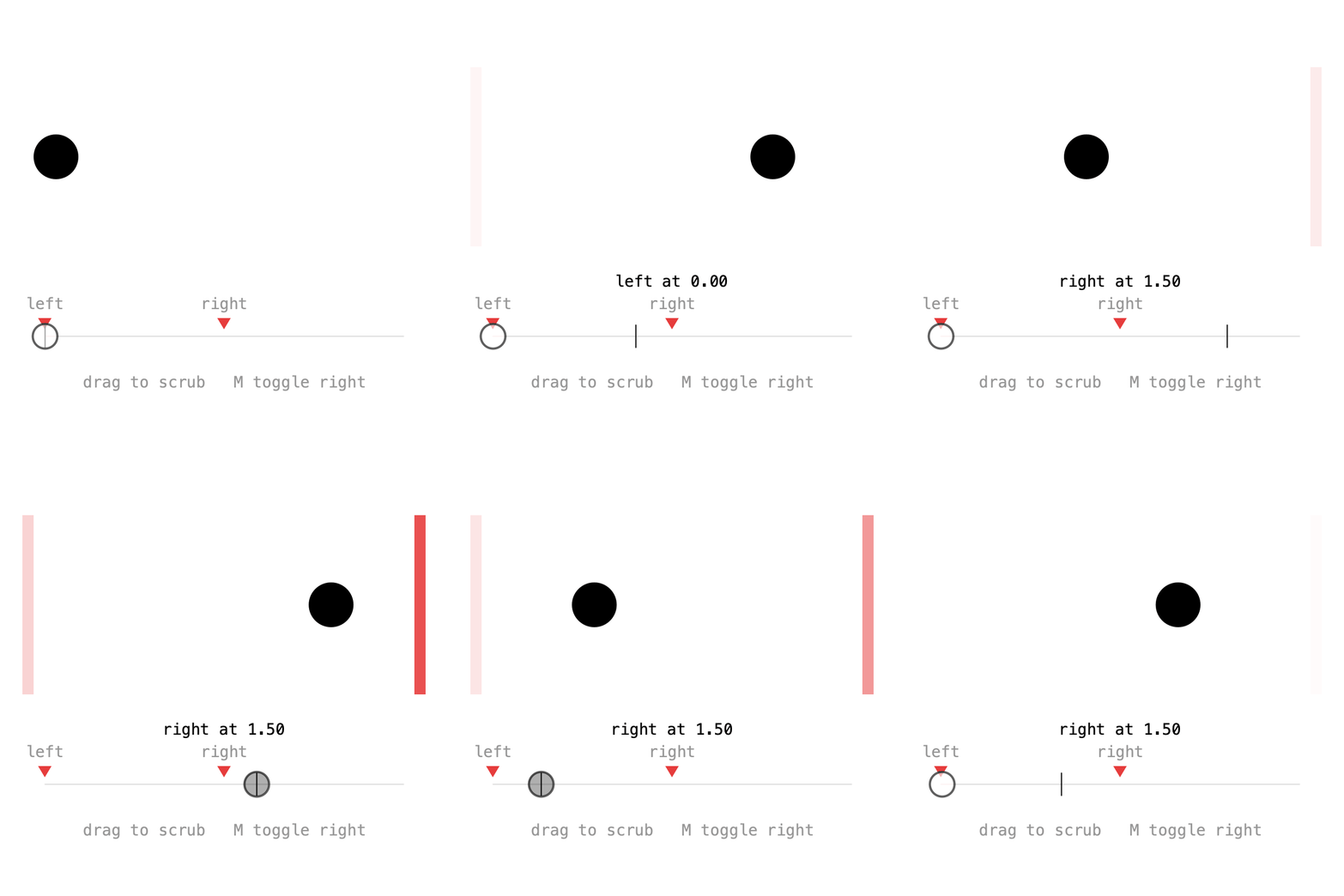
A marker calls back whenever playback crosses its time. It can be placed at a time or on a pin, and optionally named:
hit = Pin.at(1.5f);

x = Keyed.ofFloat()
    .key(0, 50f)
    .key(hit, 350f)
    .key(3, 50f);

tm.addMarker("left", 0, this::fired);
tm.addMarker("right", hit, this::fired);
The callback receives the Marker, with its name() and t():
Placing a marker on the key's pin means it fires exactly when the ball arrives, even after the pin is moved.
Markers fire during playback in either direction, also when a loop wraps around. Jumping with to(t) fires nothing, but to(t, true) fires every marker passed on the way. That's what the sketch uses while scrubbing:
Markers can be looked up with marker(name) or markers(), and removed with removeMarker(). Press M in the sketch to toggle the right one.
Full sketch: Markers
import ch.domizai.keyed.*;

Timeline tm;
Pin hit;
Keyed<Float> x;

float leftFlash, rightFlash;
String last = "";

float barX0 = 40, barX1 = 360, barY = 300;

void settings() {
    size(400, 400);
}

void setup() {
    tm = Keyed.init(this).setDuration(3);
    textFont(createFont("Courier", 14));
    textAlign(CENTER, CENTER);

    hit = Pin.at(1.5f);

    x = Keyed.ofFloat()
        .key(0, 50f)
        .key(hit, 350f)
        .key(3, 50f);

    // A marker calls back whenever playback crosses its time.
    tm.addMarker("left", 0, this::fired);
    // On the key's pin, it fires exactly when the ball arrives,
    // even after the pin is moved.
    tm.addMarker("right", hit, this::fired);
}

void fired(Marker m) {
    if (m.name().equals("left")) {
        leftFlash = 255;
    } else {
        rightFlash = 255;
    }
    last = m.name() + " at " + nf(m.t(), 1, 2);
}

void draw() {
    background(255);

    if (mousePressed) {
        // to(t, true) fires the markers passed on the way, in either direction.
        // A plain to(t) jumps silently.
        float t = map(constrain(mouseX, barX0, barX1), barX0, barX1, 0, tm.duration());
        tm.to(t, true);
    }

    // Walls that flash when their marker fires.
    noStroke();
    fill(230, 60, 60, leftFlash);
    rect(20, 60, 10, 160);
    fill(230, 60, 60, rightFlash);
    rect(370, 60, 10, 160);
    leftFlash *= 0.9f;
    rightFlash *= 0.9f;

    fill(0);
    circle(x.value(), 140, 40);

    // The bar, with every marker and the playhead.
    stroke(220);
    line(barX0, barY, barX1, barY);
    for (Marker m : tm.markers()) {
        float mx = map(m.t(), 0, tm.duration(), barX0, barX1);
        noStroke();
        fill(230, 60, 60);
        triangle(mx - 6, barY - 16, mx + 6, barY - 16, mx, barY - 6);
        fill(150);
        text(m.name(), mx, barY - 30);
    }
    stroke(0);
    float head = map(tm.t(), 0, tm.duration(), barX0, barX1);
    line(head, barY - 10, head, barY + 10);

    noStroke();
    fill(0);
    text(last, width / 2, 250);
    fill(150);
    text("drag to scrub   M toggle right", width / 2, barY + 40);
}

void mousePressed() {
    tm.play(false);
}

void mouseReleased() {
    tm.play(true);
}

void keyPressed() {
    if (key == 'm' || key == 'M') {
        // Markers can be looked up by name, removed and added again.
        Marker m = tm.marker("right");
        if (m != null) {
            tm.removeMarker(m);
        } else {
            tm.addMarker("right", hit, this::fired);
        }
    }
}
Loop and finish
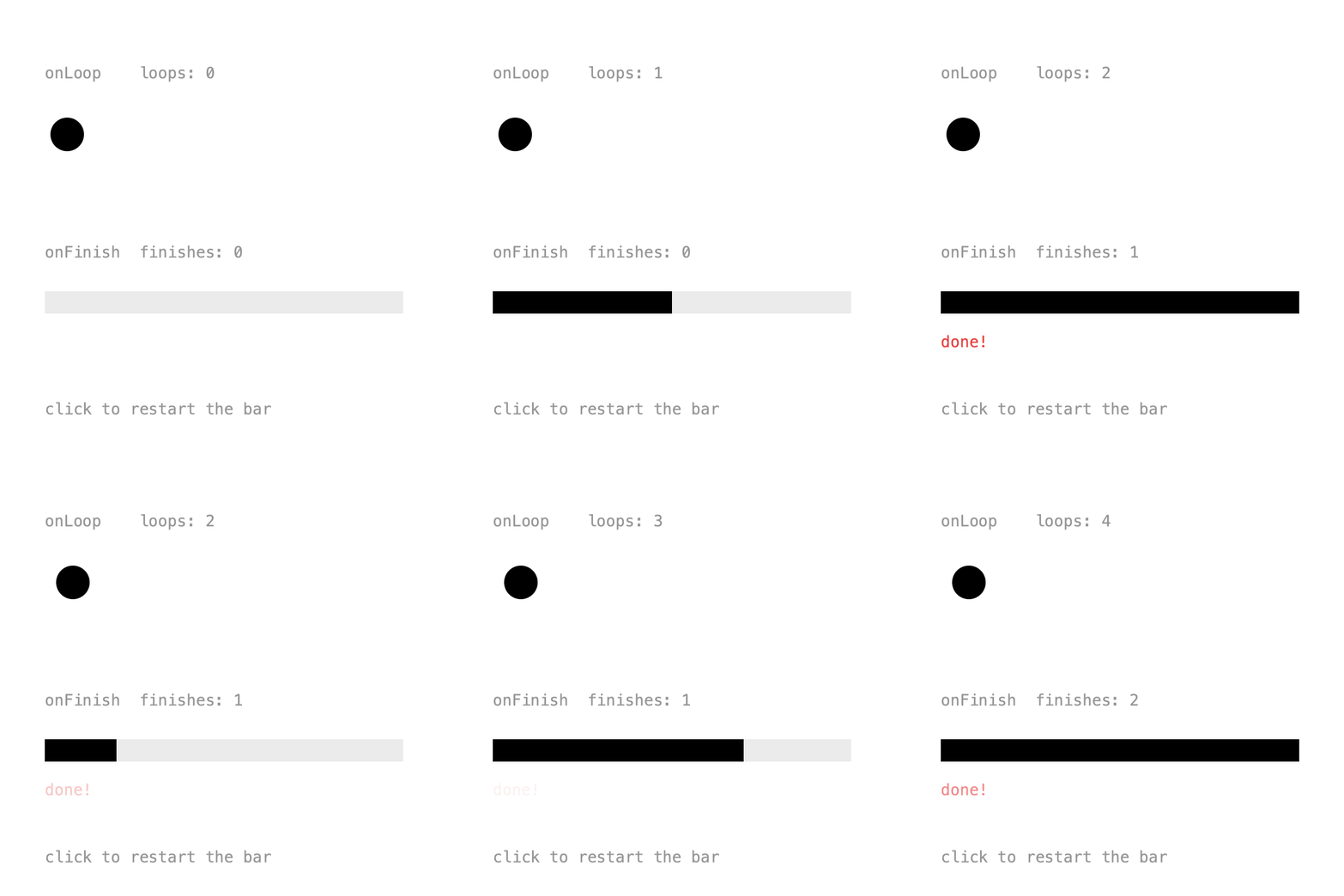
onLoop() is called every time a looping timeline wraps around. onFinish() is called once when a non-looping timeline reaches its end:
tm.onLoop(t -> loops++);

once = new Timeline().setDuration(2, false);
once.onFinish(t -> {
    finishes++;
    doneFlash = 255;
});
After restarting with once.to(0), onFinish() fires again at the end. To stop listening, keep the lambda in a variable and pass it to removeListener().
Full sketch: LoopFinish
import ch.domizai.keyed.*;

Timeline once;
Keyed<Float> x, progress;

int loops = 0;
int finishes = 0;
float doneFlash = 0;

void settings() {
    size(400, 400);
}

void setup() {
    Timeline tm = Keyed.init(this).setDuration(1);
    textFont(createFont("Courier", 14));

    x = Keyed.ofFloat()
        .key(Key.at(0).setEasing(1 / 3f), 60f)
        .key(Key.at(0.5f).setEasing(1 / 3f), 340f)
        .key(Key.at(1).setEasing(1 / 3f), 60f);

    // Called every time a looping timeline wraps around.
    // To stop it later, keep the lambda in a variable and pass it to removeListener().
    tm.onLoop(t -> loops++);

    // Plays once, in 2 seconds.
    once = new Timeline().setDuration(2, false);
    progress = Keyed.ofFloat()
        .setTimeline(once)
        .key(0, 0f)
        .key(2, 1f);

    // Called once when a non-looping timeline reaches its end.
    once.onFinish(t -> {
        finishes++;
        doneFlash = 255;
    });
}

void draw() {
    background(255);
    noStroke();

    fill(150);
    text("onLoop    loops: " + loops, 40, 70);
    fill(0);
    circle(x.value(), 120, 30);

    fill(150);
    text("onFinish  finishes: " + finishes, 40, 230);
    fill(235);
    rect(40, 260, 320, 20);
    fill(0);
    rect(40, 260, 320 * progress.value(), 20);

    fill(230, 60, 60, doneFlash);
    text("done!", 40, 310);
    doneFlash *= 0.95f;

    fill(150);
    text("click to restart the bar", 40, 370);
}

void mousePressed() {
    // After restarting, onFinish fires again at the end.
    once.to(0);
}
Next: Binding.