5. Binding
Calling value() everywhere gets tedious, especially with objects that draw themselves. Binding lets Keyed write the animated value into a field or setter before every draw(), so your code just uses plain variables.
Field binding
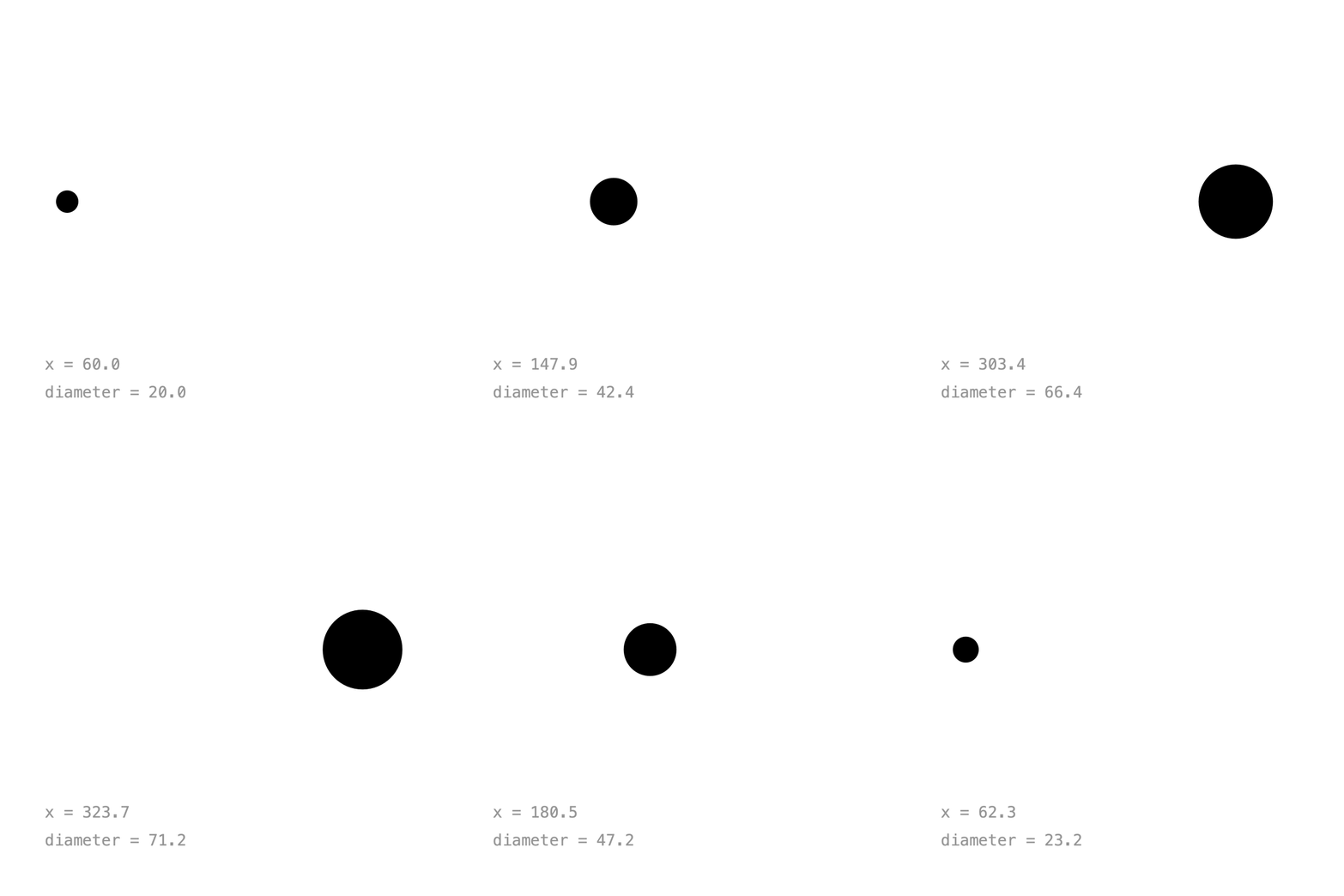
Keyed.bind(object, "field") animates a float field by name. The field's current value becomes the default:
float x = 60;
float diameter = 20;

void setup() {
    Keyed.init(this).setDuration(3);

    Keyed.bind(this, "x")
        .key(Key.at(0).setEasing(1 / 3f), 60f)
        .key(Key.at(1.5f).setEasing(1 / 3f), 340f)
        .key(Key.at(3).setEasing(1 / 3f), 60f);

    Keyed.bind(this, "diameter")
        .key(0, 20f)
        .key(1.5f, 80f)
        .key(3, 20f);
}

void draw() {
    background(255);
    circle(x, 180, diameter);
}
No value() calls: x and diameter are plain floats, already up to date.
Full sketch: FieldBinding
import ch.domizai.keyed.*;

// Plain fields. Their values here become the defaults.
float x = 60;
float diameter = 20;

void settings() {
    size(400, 400);
}

void setup() {
    Keyed.init(this).setDuration(3);
    textFont(createFont("Courier", 14));

    // bind(object, "field") writes the animated value into a float field
    // before every draw(). It works for float fields of any object,
    // e.g. Keyed.bind(ball, "x").
    Keyed.bind(this, "x")
        .key(Key.at(0).setEasing(1 / 3f), 60f)
        .key(Key.at(1.5f).setEasing(1 / 3f), 340f)
        .key(Key.at(3).setEasing(1 / 3f), 60f);

    Keyed.bind(this, "diameter")
        .key(0, 20f)
        .key(1.5f, 80f)
        .key(3, 20f);
}

void draw() {
    background(255);

    // No value() calls: x and diameter are plain floats, already up to date.
    noStroke();
    fill(0);
    circle(x, 180, diameter);

    fill(150);
    text("x = " + nf(x, 1, 1), 40, 330);
    text("diameter = " + nf(diameter, 1, 1), 40, 355);
}
Setter binding
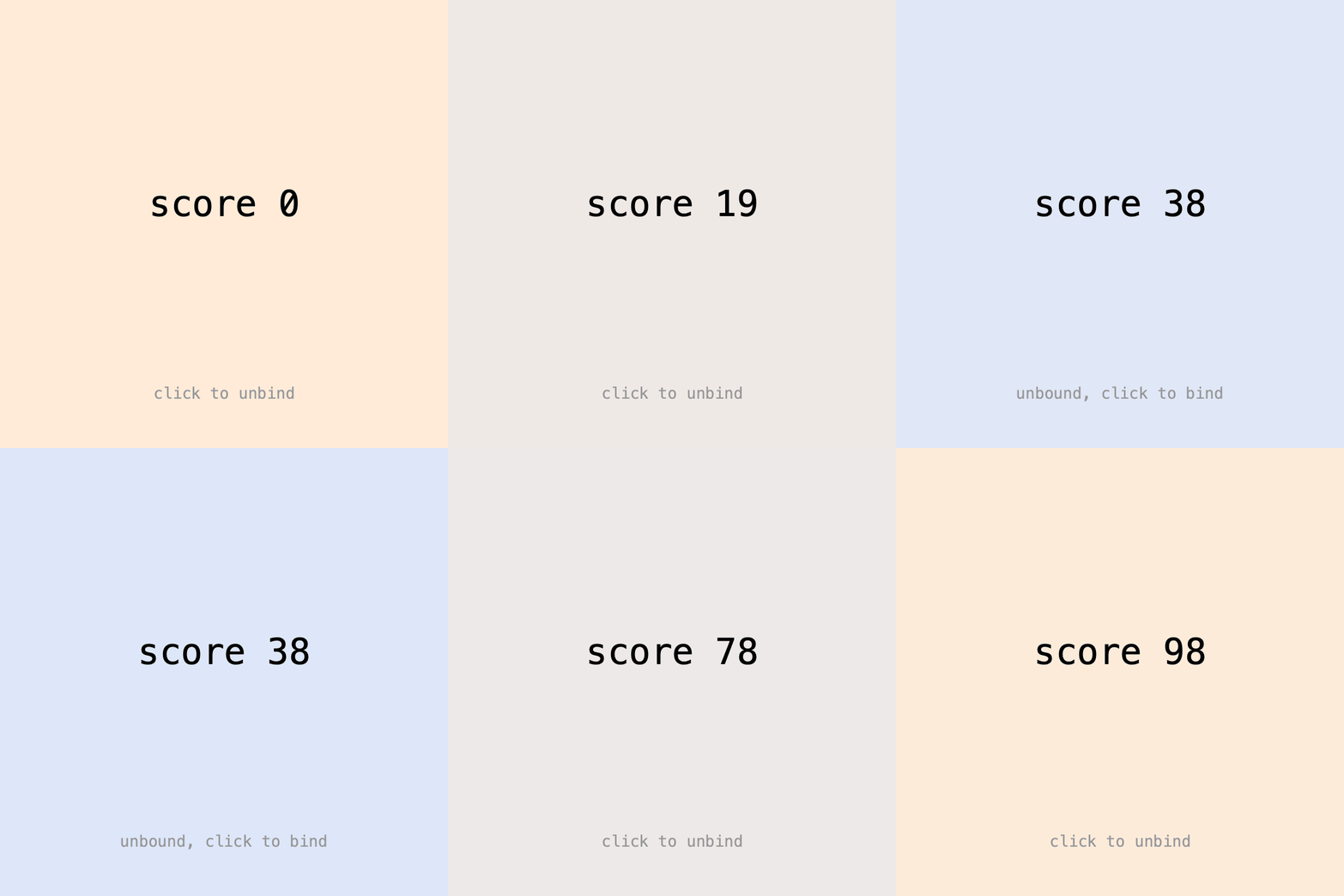
For any other type, bind a setter: a function that receives the animated value. Pass a Lerp (how to blend, see Types), a default value and the setter:
Keyed.bind(new ColorLerp(), color(255), c -> bg = c)
    .key(0, color(255, 235, 215))
    .key(2, color(215, 230, 255))
    .key(4, color(255, 235, 215));
Or call bind() on an existing Keyed. The setter can convert the value, here from an int to a line of text:
score = Keyed.ofInt()
    .key(0, 0)
    .key(4, 100)
    .bind(this::showScore);

void showScore(int v) {
    label = "score " + v;
}
unbind()stops the updates, so the target keeps its last value. In the GIF the score freezes for a moment.apply()writes the value right away, without waiting fordraw(), e.g. to use it insetup().
Full sketch: SetterBinding
import ch.domizai.keyed.*;
import ch.domizai.keyed.lerps.*;

int bg;
String label = "";
Keyed<Integer> score;
boolean bound = true;

void settings() {
    size(400, 400);
}

void setup() {
    Keyed.init(this).setDuration(4);
    textFont(createFont("Courier", 14));
    textAlign(CENTER, CENTER);

    // A Lerp, a default value and a setter, which receives
    // the animated value before every draw().
    Keyed.bind(new ColorLerp(), color(255), c -> bg = c)
        .key(0, color(255, 235, 215))
        .key(2, color(215, 230, 255))
        .key(4, color(255, 235, 215));

    // Or bind an existing Keyed. The setter can convert the value,
    // here from an int into a line of text.
    score = Keyed.ofInt()
        .key(0, 0)
        .key(4, 100)
        .bind(this::showScore);

    // apply() writes the value right away, without waiting for draw(),
    // e.g. to use label in setup().
    score.apply();
    println(label);
}

void showScore(int v) {
    label = "score " + v;
}

void draw() {
    // No value() calls: bg and label are already up to date.
    background(bg);

    fill(0);
    textSize(32);
    text(label, width / 2, 180);

    fill(150);
    textSize(14);
    text(bound ? "click to unbind" : "unbound, click to bind", width / 2, 350);
}

void mousePressed() {
    // unbind() stops the updates, so label keeps its last value.
    // bind() starts them again.
    bound = !bound;
    if (bound) {
        score.bind(this::showScore);
    } else {
        score.unbind();
    }
}
Binding objects
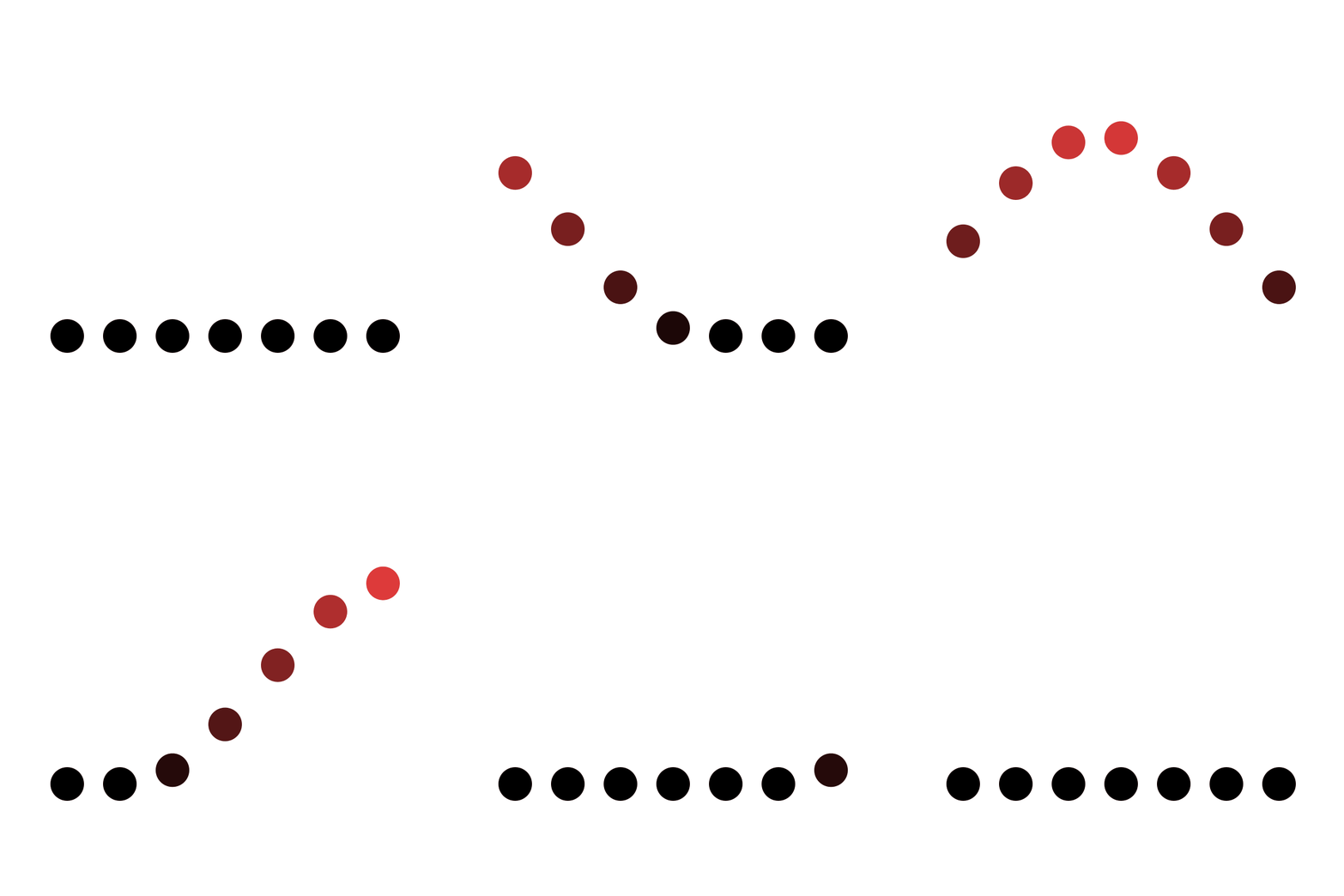
Binding shines with objects. Each Ball gets its y field bound by name, and its color through a setter method. Delaying the keys of each ball a little creates a wave:
for (int i = 0; i < 7; i++) {
    Ball b = new Ball(this, 60 + i * 47, 300);
    balls.add(b);
    float delay = i * 0.1f;

    Keyed.bind(b, "y")
        .key(Key.at(delay).setEasing(1 / 3f), 300f)
        .key(Key.at(delay + 0.5f).setEasing(1 / 3f), 120f)
        .key(Key.at(delay + 1).setEasing(1 / 3f), 300f);

    Keyed.bind(new ColorLerp(), color(0), b::setColor)
        .key(delay, color(0))
        .key(delay + 0.5f, color(230, 60, 60))
        .key(delay + 1, color(0));
}
The balls are always up to date and simply draw themselves.
Full sketch: ObjectBinding
import java.util.ArrayList;

import ch.domizai.keyed.*;
import ch.domizai.keyed.lerps.*;

ArrayList<Ball> balls = new ArrayList<>();

void settings() {
    size(400, 400);
}

void setup() {
    Keyed.init(this).setDuration(2);

    for (int i = 0; i < 7; i++) {
        Ball b = new Ball(this, 60 + i * 47, 300);
        balls.add(b);

        // Each ball starts a little later than the one before.
        float delay = i * 0.1f;

        // Binds the float field y of this ball, by name.
        Keyed.bind(b, "y")
            .key(Key.at(delay).setEasing(1 / 3f), 300f)
            .key(Key.at(delay + 0.5f).setEasing(1 / 3f), 120f)
            .key(Key.at(delay + 1).setEasing(1 / 3f), 300f);

        // Fields can only be bound if they are floats. For anything else,
        // like this int color, bind a setter of the object instead.
        Keyed.bind(new ColorLerp(), color(0), b::setColor)
            .key(delay, color(0))
            .key(delay + 0.5f, color(230, 60, 60))
            .key(delay + 1, color(0));
    }
}

void draw() {
    background(255);
    // The balls are already up to date; they just draw themselves.
    for (Ball b : balls) {
        b.draw();
    }
}
Next: Paths.